Instant Pay - FAQ

Edited

What is Instant Pay?

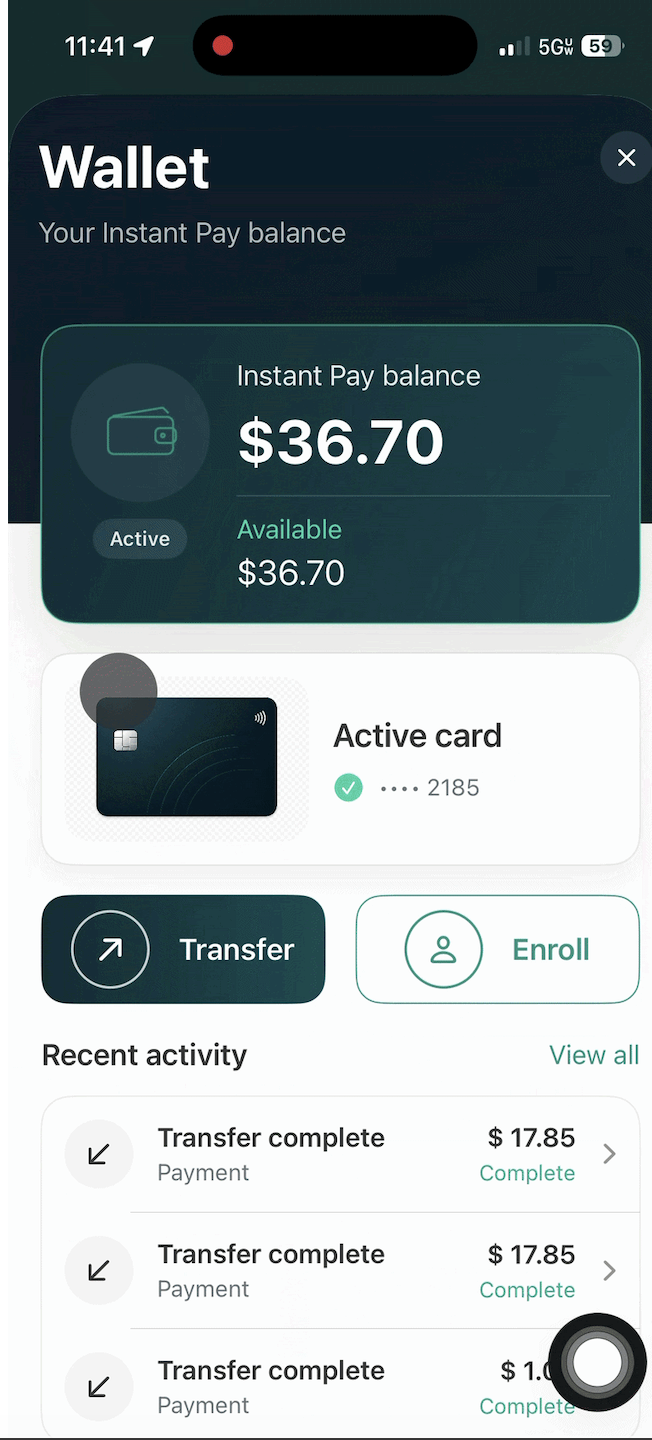
Instant Pay lets eligible Jyvers transfer available earnings to their debit card directly from the Jyve Wallet instead of waiting for the weekly payment cycle.


How do I set up Instant Pay?

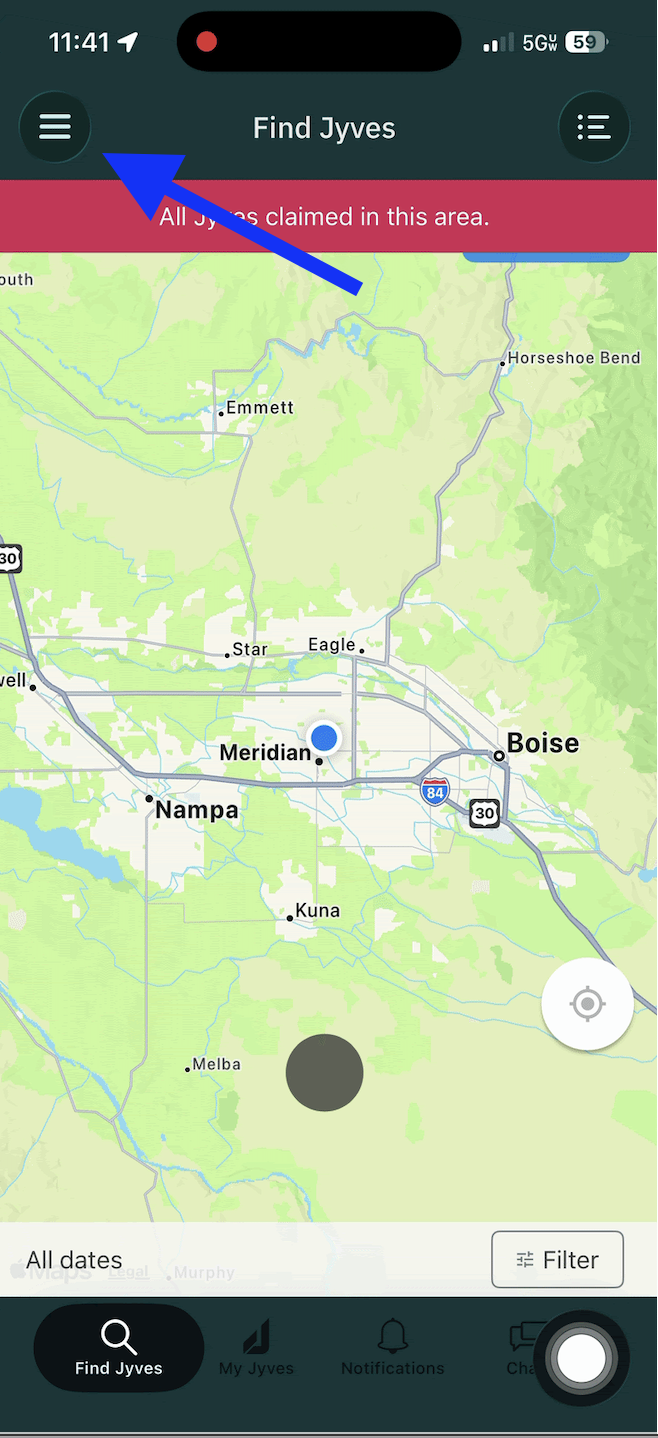
  1. Open the Jyve app.

  2. Tap the ☰ Menu in the upper left.

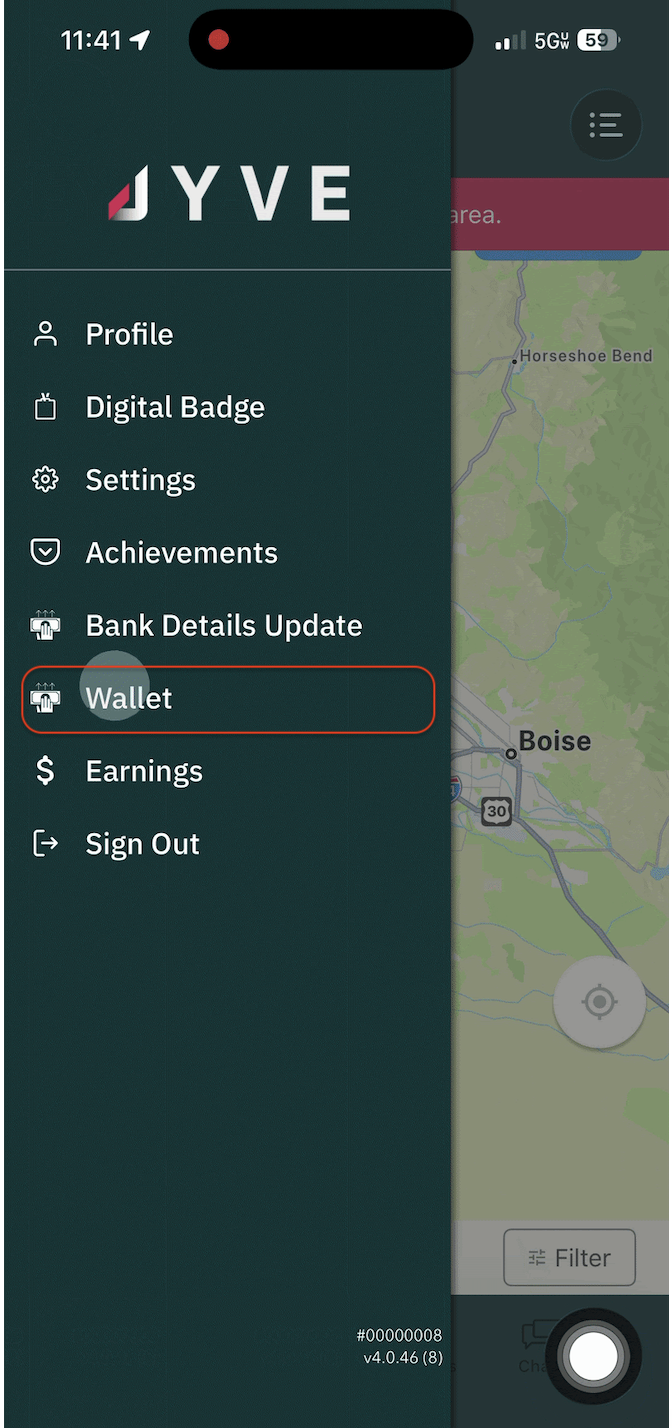
  1. Select Wallet.

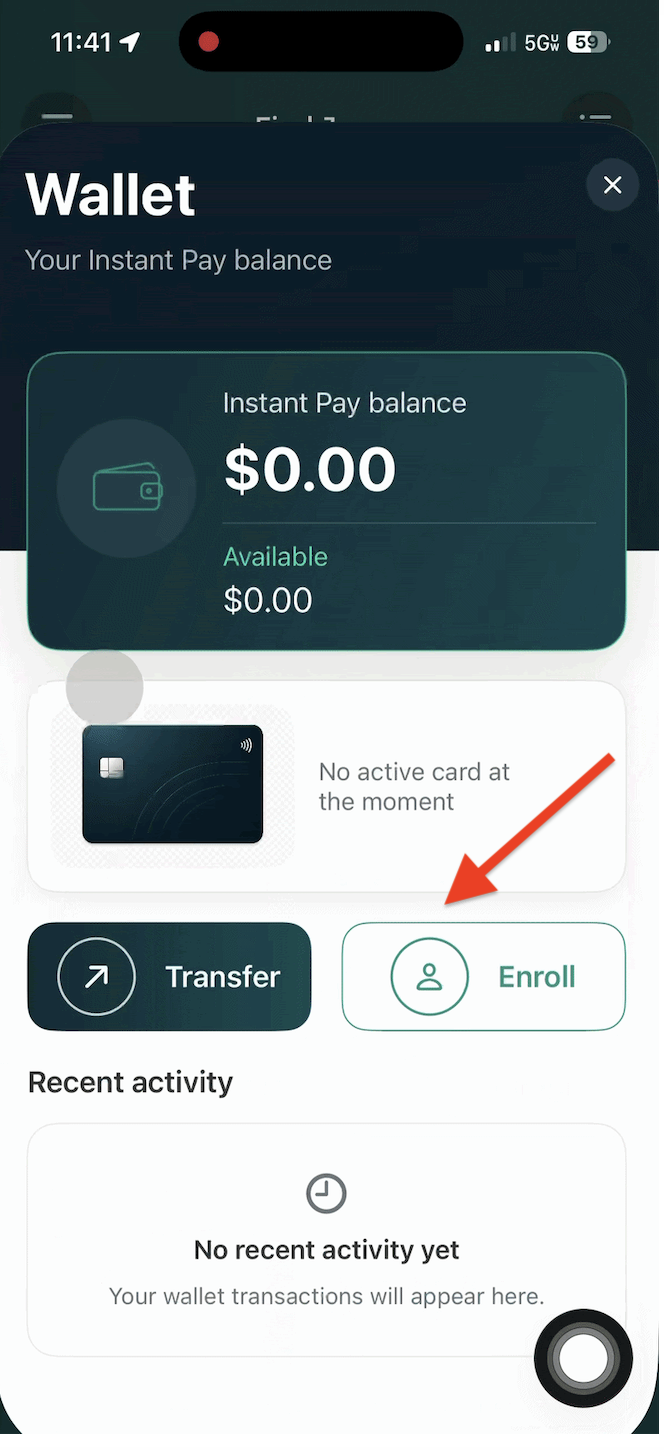
  1. Tap Enroll.

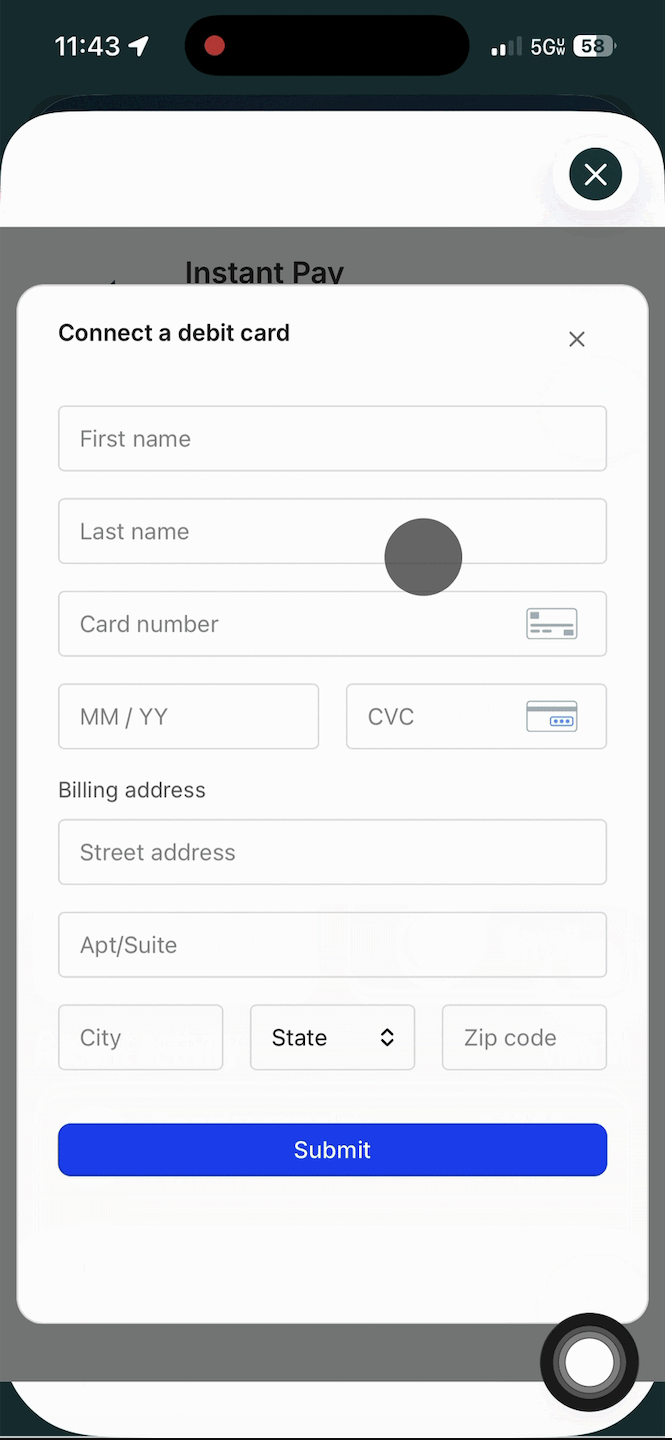
  1. Add an eligible debit card.

  1. Once enrolled, you'll be able to transfer available funds whenever you'd like.


Do all jobs qualify?

Only jobs that display the Instant Pay badge are eligible.

Standard jobs continue to follow the normal payment schedule.

Why don't I see my money yet?

Your payment must first pass our Quality Assurance (QA) review.

If your submission is flagged for:

  • Missing or incorrect photos

  • Incomplete work

  • Additional review

your payment may be delayed by up to 72 hours while we investigate.


Does Instant Pay cost anything?

Yes.

Choosing the Instant Pay transfer option includes a service fee.

You can also choose standard processing if you prefer.


What debit cards work?

Eligible personal debit cards.

The following are not supported:

  • Reloadable prepaid cards

  • Gift cards

  • Cash App-style debit cards

  • Other unsupported debit products


I completed an Instant Pay job but wasn't paid instantly.

The most common reasons are:

• Your job is still in QA review.

• Your wallet hasn't been enrolled.

• Your debit card isn't eligible.

• Your job was flagged for additional review.

If it's been longer than 72 hours, contact Support through the chat in the Jyve app.


When should I contact Support?

Please reach out through the Jyve app if:

  • Your wallet won't enroll

  • You can't add your debit card

  • Your payment is missing after 72 hours

  • You believe there is an issue with your payout

Was this article helpful?

Sorry about that! Care to tell us more?

Thanks for the feedback!

There was an issue submitting your feedback
Please check your connection and try again.