
How to claim a Virtual Orientation job?
Welcome to Jyve!
We're excited to have you join us!
You can complete your orientation anytime, 7 days a week, from 5 AM to 7 PM (local time), by watching a recorded session led by one of our Jyve Specialists. The orientation covers how Jyve works, what to expect on assignments, and the key information you need to get started.
Finding Available JyvesTo find available Jyves, go to the Find Jyves screen in the app. We recommend checking the app daily around 8:00 AM (local time), as this is when new Jyves are typically posted and become available to claim. |
1. First, go to Jyve Map and click Filter.
|
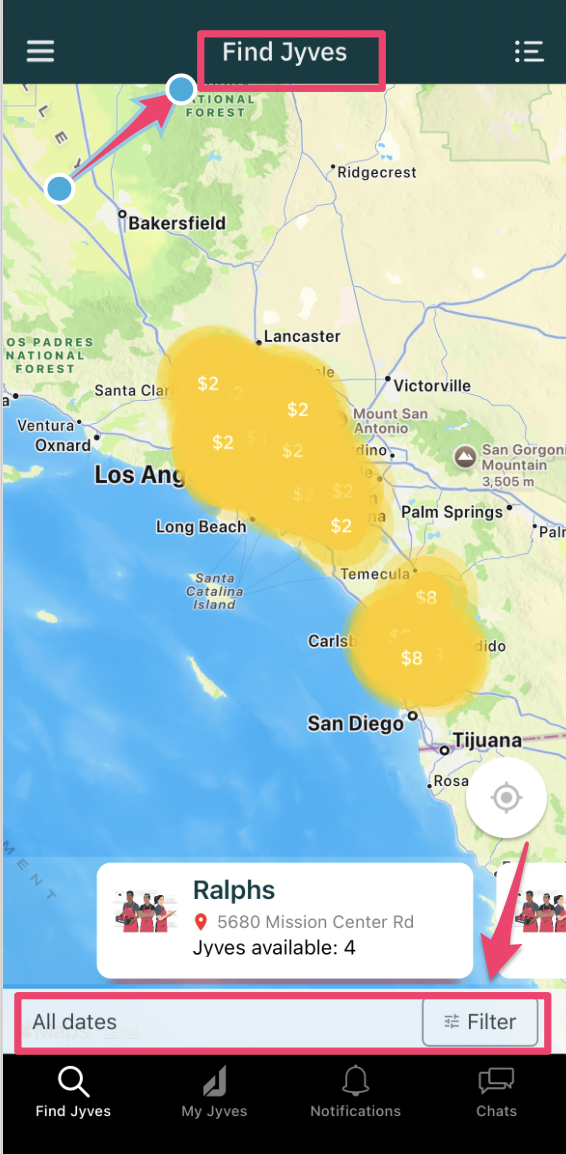
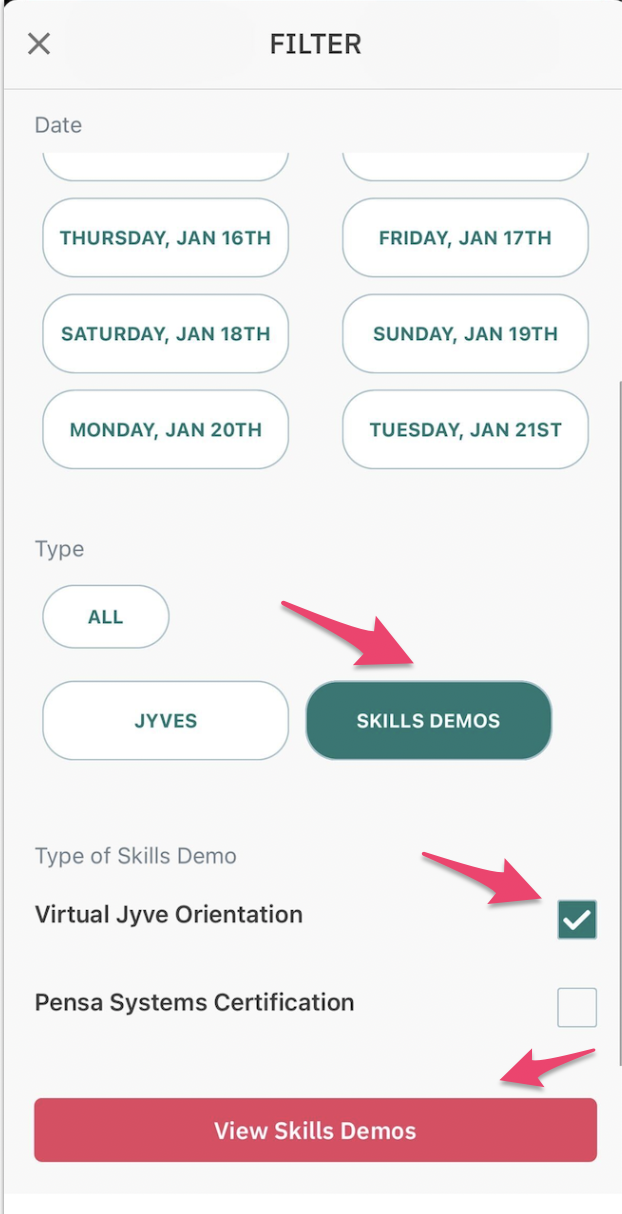
2. Select “Skills Demo” under Type, then check "Virtual Jyve Orientation." This will display nearby Skills Demo Jyves. Use the map to zoom in or out for more locations.
|
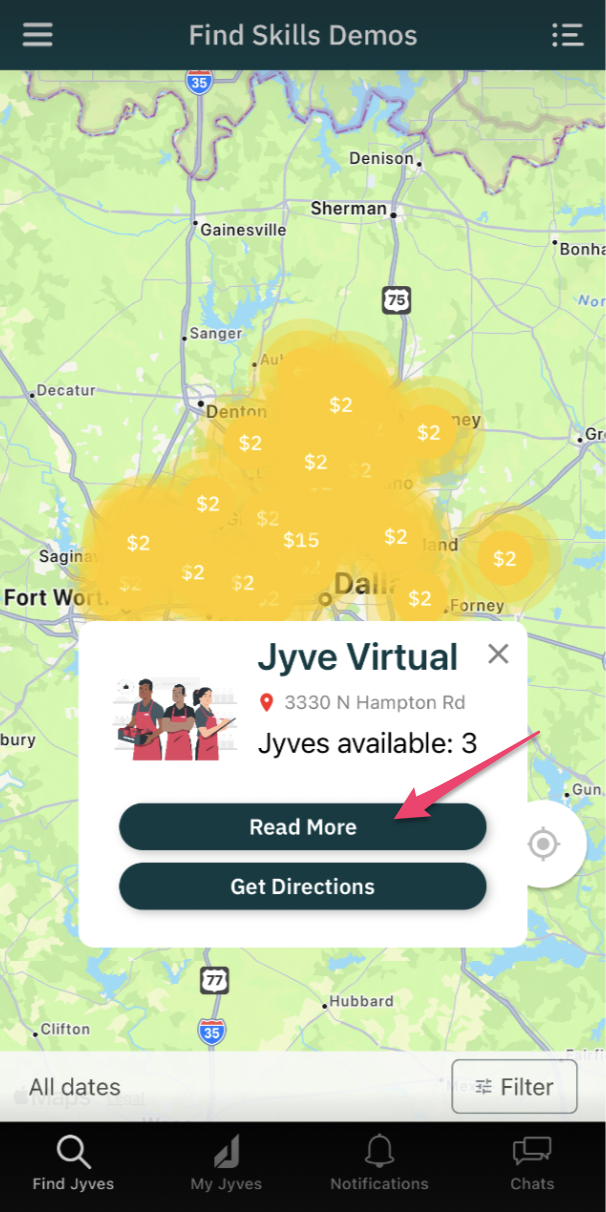
3. Tap Jyve Virtual, and tap Read More.
|
4. Tap View Details and review the job description.
|
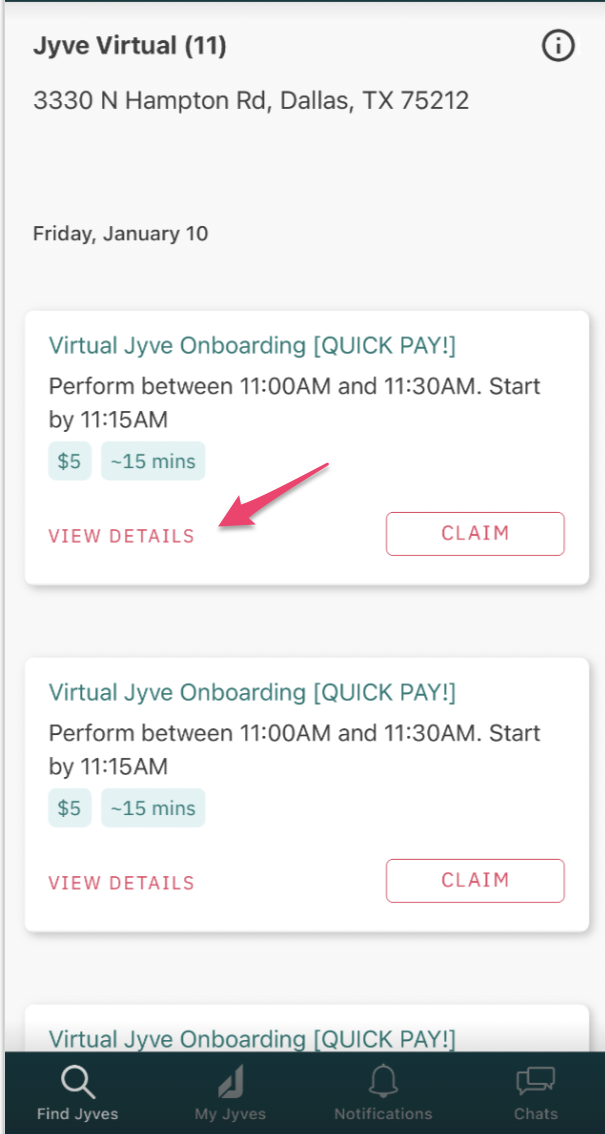
5. Hit Claim and make sure to attend the accepted Jyve.
|
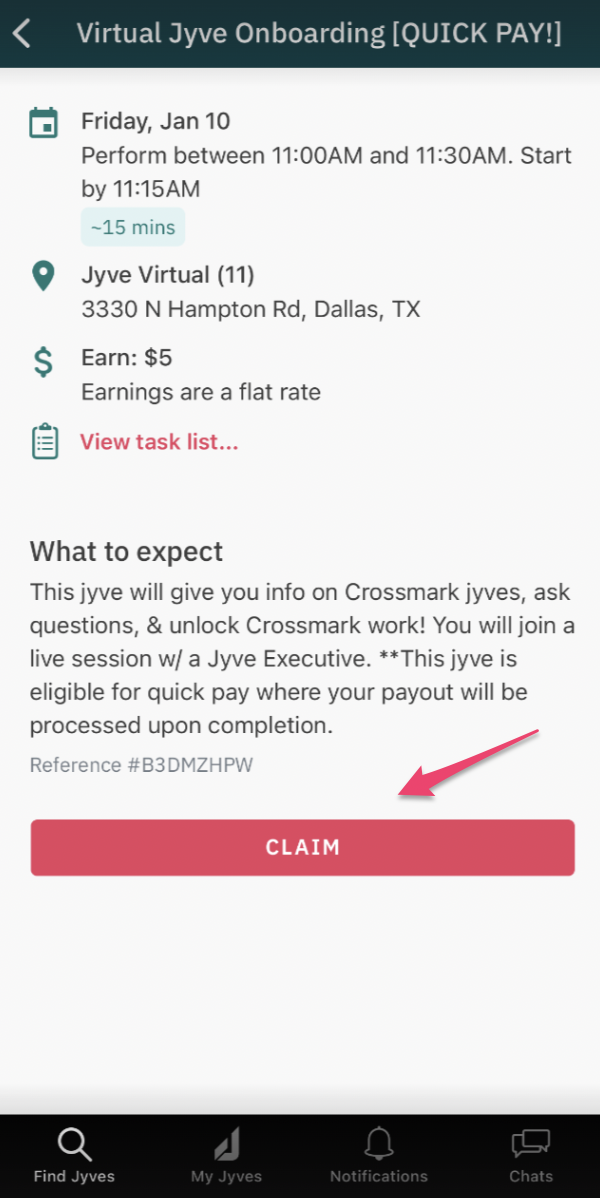
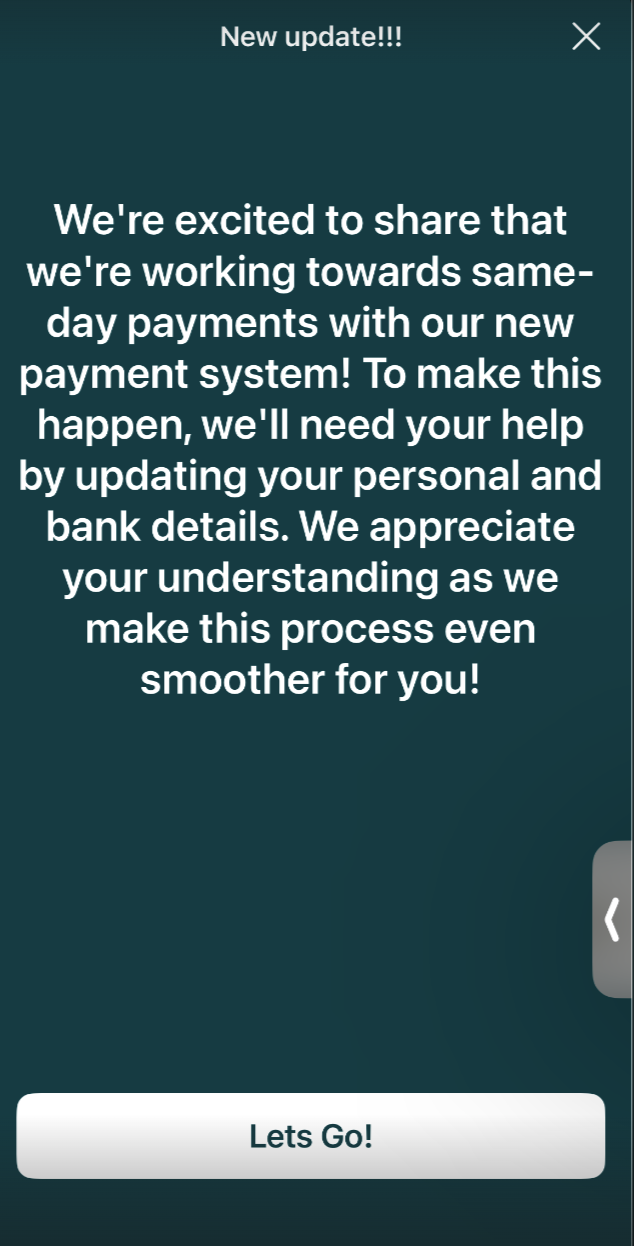
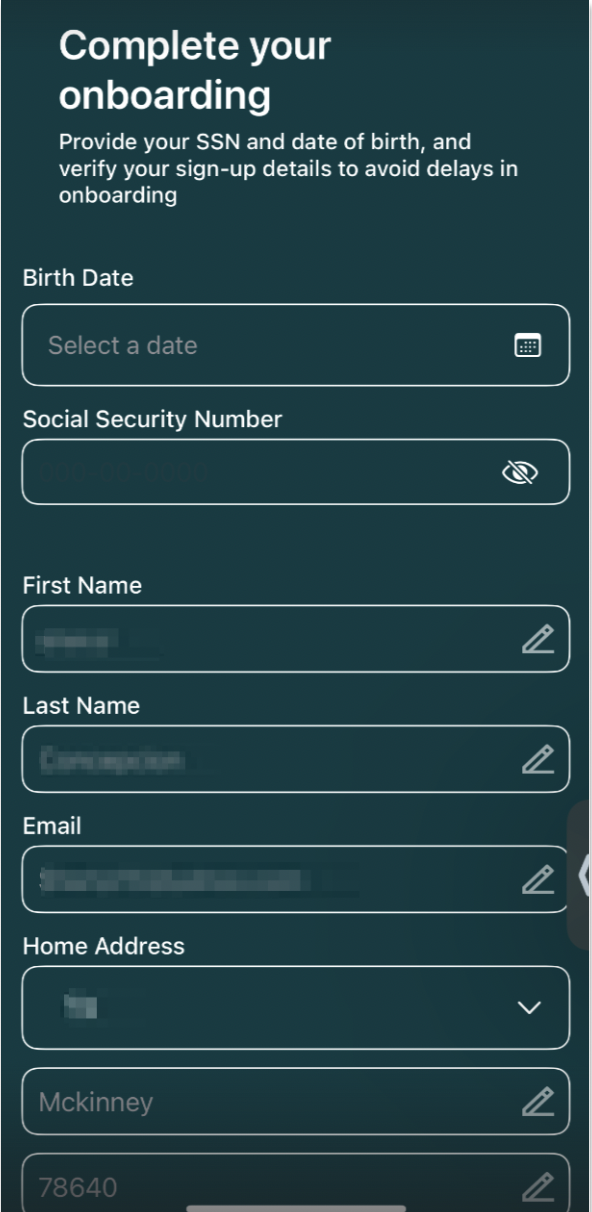
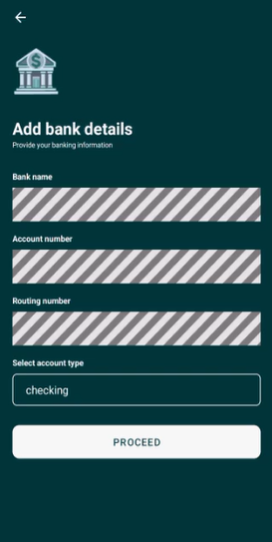
6. A notification about our new payment system will appear. Click “Let’s go!” and fill out your personal information and bank details.
|
7. Watch the orientation video at your convenience. |
8. Tap the link provided at the end of the video to begin a short AI screening (approximately 5 minutes). |
9. Answer a few questions based on the information covered in the video. Your responses will help us confirm your understanding of the material. |
Important: You must watch the video(s) in full to receive payment for this orientation. Skipping ahead or fast-forwarding may result in the payout being forfeited. Once completed, you'll be ready to start claiming and completing Jyves! Job Details: $5 payout • Approximately 15 minutes |
Need Help?
If you need assistance, contact Jyve Support through the chat in the Jyve app or submit a request using the link. We're here to help and will be happy to assist you.